Why LOW.MS?
Below are a few reasons why LOW.MS is the ideal place to host your game server.
Instant Setup
Begin playing on your ARK: Survival Evolved server within minutes after payment.
Cloud backup system
Never lose your ARK: Survival Evolved save again with our state of the art cloud backup system.
High-Performance Hardware
Your ARK: Survival Evolved server will be equipped with the latest Intel or AMD processors and NVMe SSDs.
DDoS Protection
All of our datacenter networks have enterprise-level DDOS protection to ensure your ARK: Survival Evolved server hosting never goes down.
24/7 Support
Round-the-clock customer assistance with a 99.9% uptime guarantee to ensure your ARK: Survival Evolved server never goes offline.
Quality Guarantee
Full refund within the first 5 days if your ARK: Survival Evolved server is not up to scratch.
Automatic Cloud Backups
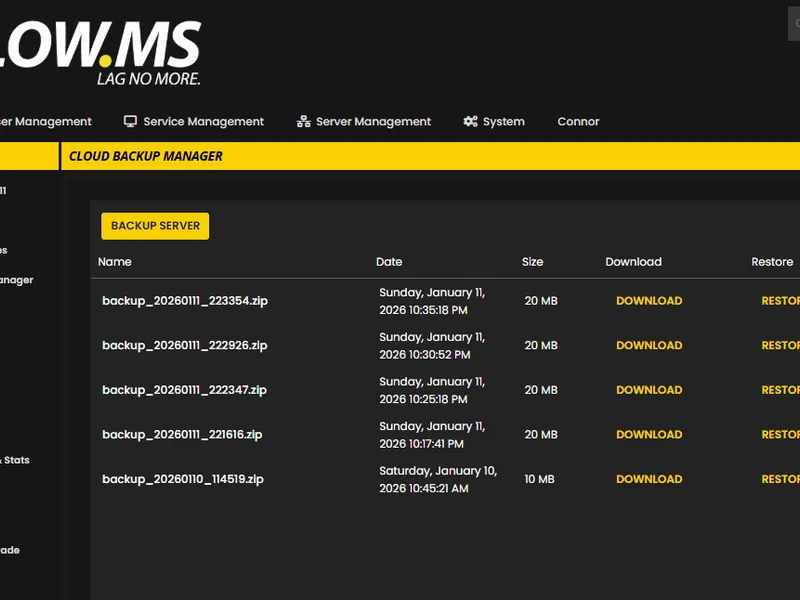
Never lose your ARK: Survival Evolved progress again with our advanced cloud backup system. We automatically create regular backups of your game server, ensuring your world, configurations, and player data are always safe.
Our intuitive Backup Manager gives you complete control over your server backups. Easily restore to any previous point, download backups locally, or create manual snapshots before making big changes.
- Automatic scheduled backups
- One-click restore functionality
- Download backups anytime
- A must have for your ARK: Survival Evolved server hosting
Top choice in my list
Out of all hosting providers. This is by far the top choice in my list. Simple UI with a mod manager included making it hassle-free when downloading specific mods.
— Jose
Very helpful and responsive
I opened a ticket for help migrating my server from a different host. The game is Palworld and it isn't a simple process, they did it for me! Very helpful and responsive.
— Justin
Insanely reliable service
Their prices are pretty cheap and I thought they'd cut back on performance but damn was I wrong. The service has been insanely reliable and the Support Team are on their own level!
— Anti

United States
Bend, OR
Los Angeles, CA
Phoenix, AZ
Dallas, TX
Miami, FL
Ashburn, VA
Europe
London, UK
Nuremberg, DE
Helsinki, FI
Warsaw, PL
Asia & Oceania
Singapore, SG
Sydney, AU
Melbourne, AU
12 Server Locations
We've got you covered!
We have a wide variety of locations available for your ARK: Survival Evolved server. If you need help choosing a location, contact support.
All locations feature DDoS protection which can withstand attacks of up to 100 Gbps. Keeping your game server safe, no matter where in the world it may be.
Is there a location you would like to see? Let us know! Having the correct location helps your service show up correctly in the server list.
Frequently Asked Questions
Find answers to common questions about ARK: Survival Evolved server hosting.
ARK is one of the more memory-hungry games out there — a vanilla server on a lighter map like The Island uses a fair chunk of RAM, and heavily modded or Genesis Part 2 servers need noticeably more. Our ARK plans scale the included memory accordingly; you can compare the current options on our [ARK server hosting page](/game-servers/ark-survival-evolved-server-hosting).
You can connect via the Steam server browser (View → Game Servers → Favourites), the ARK in-game server browser under the Unofficial tab, or direct connect from the in-game console with `open IP:PORT`. Your server IP and port are shown in the server overview on [control.low.ms](https://control.low.ms).
All the official maps are supported: The Island, The Center, Scorched Earth, Ragnarok, Aberration, Extinction, Valguero, Crystal Isles, Genesis Part 1 and 2, Lost Island, and Fjordur. You can switch map from the **Commandline Manager** in [control.low.ms](https://control.low.ms) — see our [switching map or DLC guide](/knowledgebase/switching-map-or-dlc-on-your-ark-server) for the exact steps.
Yes — ARK has one of the largest modding communities on Steam Workshop. You can install mods in one click from the **Mod Manager** in the panel, or add Workshop IDs manually to your `GameUserSettings.ini` via **Configuration Files**. Popular ones include Structures Plus (S+), Awesome Spyglass, and Dino Storage.
Yes, you have full control. Taming, harvesting and XP rates live in `GameUserSettings.ini` under `[ServerSettings]`, and breeding multipliers (mating interval, egg hatch speed, baby mature speed, imprint) live in `Game.ini` under `[/script/shootergame.shootergamemode]`. Our [server configuration guide](/knowledgebase/ark-survival-evolved-server-configuration) covers the specifics — getting breeding multipliers in the wrong file is a common mistake because ARK silently ignores them.
Yes, we host clusters ranging from a couple of servers to 40+ across multiple regions. Clusters let players transfer characters, tames and items between maps. Just let support know and we'll link your servers with shared cluster storage — there's a bit of setup on our side so we handle it for free. See [everything you need to know about ARK clusters](/knowledgebase/everything-you-need-to-know-about-ark-clusters) for the background.
Set `ServerAdminPassword=YourPassword` in `GameUserSettings.ini` under `[ServerSettings]` via **Configuration Files**, restart the server, then in-game press Tab and run `enablecheats YourPassword`. That gives you access to the full admin command list for that session. Full walkthrough: [how to become admin on your ARK server](/knowledgebase/how-to-become-admin-on-your-ark-server).
Yes, ARK supports Steam ↔ Epic crossplay via the `-crossplay` launch parameter. You can toggle it from the **Commandline Manager** in the panel — the full steps are in our [crossplay guide](/knowledgebase/enabling-crossplay-on-your-ark-server).
Once you've enabled cheats in-game, press Tab to open the console. Useful ones include `DestroyWildDinos` (refresh wild spawns), `SaveWorld` (force a save), `Broadcast
ARK is memory-hungry and TPS-sensitive. Common causes are too many tamed dinos (lower `MaxTamedDinos` or run `DestroyWildDinos` to refresh), too many mods, or a heavy map like Genesis 2 on a base-tier plan. Check RAM and CPU usage under **Current Activity & Stats** in [control.low.ms](https://control.low.ms), and see our [troubleshooting guide](/knowledgebase/ark-survival-evolved-troubleshooting) for the step-by-step fixes. If you've exhausted the obvious causes, support can take a look.
Your ARK: Survival Evolved is set up instantly after payment, allowing you to start hosting without delays.
Yes! Our user-friendly control panel gives you full control over game modes, maps, and server configurations over your ARK: Survival Evolved server.
We provide 24/7 support for your ARK: Survival Evolved server through live chat and email to assist you with any questions or technical issues.
Absolutely. If you're not satisfied with your ARK: Survival Evolved server. We provide a full refund within the first 5 days.
Our ARK: Survival Evolved servers use top-tier Intel or AMD hardware to ensure your server runs super smoothly!
Ready to host your ARK: Survival Evolved server?
Instant Setup
Your server will be ready within minutes
DDoS Protection
Enterprise-grade protection included
24/7 Support
Expert help whenever you need it
Starting from
Cancel anytime. No minimum term. Full refund within 5 days.
What is ARK: Survival Evolved
ARK: Survival Evolved is an action-adventure survival game that takes place on a mysterious island inhabited by prehistoric creatures. You awaken on the island with nothing but your wits and survival skills, and must fight to survive against the elements, hunger, thirst, and the deadly predators that roam the island. As you progress, you'll learn to craft weapons, build shelters, and tame the island's inhabitants, using them as mounts or even as allies in your fight for survival. You'll explore the island's vast terrain, from lush forests to scorching deserts and frozen tundras, uncovering hidden secrets and ancient ruins as you go. But survival won't be easy - the island is filled with dangers at every turn, from ferocious predators to rival tribes competing for resources. You'll need to work together with other players to establish alliances and fend off attacks, building a community of survivors that can weather any storm. With stunning graphics, immersive gameplay, and an endless world of possibilities, ARK: Survival Evolved is a game that will keep you hooked for hours on end. So gather your tools, sharpen your skills, and prepare to face the ultimate survival challenge in this prehistoric world.



Money-back Guarantee
We are confident that you'll be happy with our service. If on the rare occasion there is a problem with your service, we will do our absolute best to get things working for you, or you can simply ask for your money back.
We have a full 5 day money-back guarantee on all our game server hosting. No questions asked.
Knowledgebase Articles
A selection of hosting guides and articles, hand-written by our own support team
No articles found
Found a mistake or want to contribute? Contact usCutting Edge Control Panel
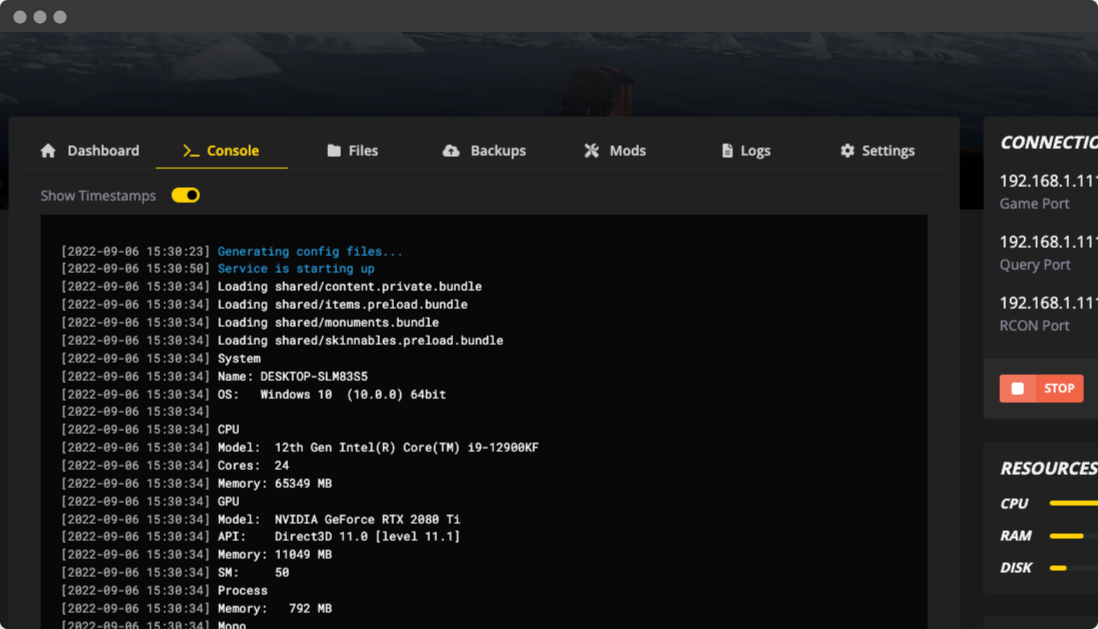
Our brand new control-panel will soon be available for ARK: Survival Evolved server hosting. Featuring everything our existing control panel has, but with an all new intuitive and sleek looking interface. Including a fully advanced file manager, mod installation and so on.
Our own in-house development team have been working on this since 2021, and it will take the industry by storm. Click the button below to learn more about it. Until the new control panel is released, you'll still have access to our feature-packed TCAdmin server control panel.